Filing Returns in the GST Era
Dr. Akhedan Charan
Additional Commissioner of State Tax
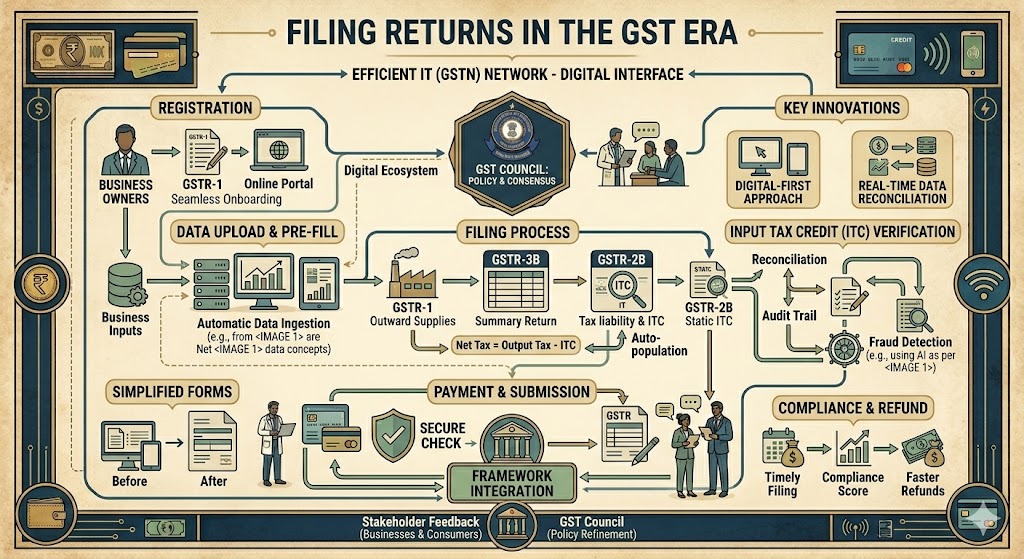
A return is a comprehensive document that provides specific information regarding the income of a taxpayer. Taxpayers submit their tax returns to the tax administration authorities. The return comprises of purchase, sales, output GST (on sales), and ITC (GST paid on purchases). It allows taxpayers to determine their tax obligation, arrange the payment of taxes, request an input tax credit (ITC), and seek a refund for any excess tax payments. The frequency can be monthly, quarterly, and/or annual. It is necessary to provide sales and purchase invoices that comply with GST regulations in order to file GSTR. The regulations pertaining to refunds are outlined in Section 37-48 of Chapter 9 of the CGST Act, 2017.
Taxpayers who are registered under the Goods and Services Tax (GST) and have a total revenue of up to 1.5 crore in the previous financial year will be required to file GSTR 1 on a quarterly basis. Registered taxpayers with a total turnover over *1.5 crore will be required to submit GSTR 1 on a monthly basis. The submission of GSTR 2 and GSTR 3 has been temporarily halted for all regular taxpayers, regardless of their turnover, until further notice.
During the initial phase of the implementation of GST, small businesses had difficulties in the process of filing their returns. In the 28th meeting of the GST Council, which took place on 21 July 2018 in New Delhi, a new return structure and corresponding adjustments in legislation were adopted specifically for small enterprises. According to the permission, taxpayers with a turnover of up to 5 crore in the preceding financial year will be allowed to file quarterly returns and make monthly tax payments based on their own declaration. The Council has developed a streamlined returns process, known as Sahaj and Sugam, specifically for taxpayers. Taxpayers who have not made any purchases, have no liability for output tax, and have no input tax credit to claim in any quarter of the fiscal year are required to file a single zero return for the full quarter.[1]
How to Submit a Tax Return
There is a single tax return that applies to both taxes. It is mandatory for all taxpayers to submit their returns electronically. The return procedure under the Goods and Services Tax (GST) involves electronically filing returns, uploading invoice information, automatically populating the Input Tax Credit (ITC) information from the supplier’s returns to the recipient, matching invoice information, and automatically reversing the ITC if there is a mismatch. The duplicate of the return would be provided to the central authority and the corresponding state authority. There are three alternative options for filing a return under the Goods and Services Tax (GST) system.
GSTN Portal
The GSTN site is the primary means for taxpayers to file their returns under the GST system. This strategy is beneficial for taxpayers with a restricted number of entries. Users have the ability to input the necessary information directly on the GSTN portal. Taxpayers are required to access the GSTN portal by using their designated user ID and password. Upon logging in, users will be sent to the return dashboard page. From there, they may access the GSTR 1 tile and click on the “prepare online” link to begin preparing their return. Refer to the box below for a detailed, step-by-step guide on how to submit GSTR 3B.
Procedure for filing GSTR 3B
• Access the GSTN portal
• Navigate to the Services tab, choose Returns from the drop-down menu, and then click on Returns Dashboard.
• Next, choose the fiscal year (FY) and the filing period, which in this case is September.
• Select the “prepare online” button
• Input values, including additional charges for late payment and accrued interest
• To save GSTR 3B, click on the button labeled ‘Save GSTR 3B’ located at the bottom of the page. Please select the ‘Submit’ option.
• Scroll down and select the ‘Payment of Tax’ button.
• Once you have verified the information, click on the ‘Check Balance’ option.
Click the ‘Ok’ button and enter the necessary information on the credit that can be used to balance out any outstanding debts.
• Next, choose either ‘GSTR 3B with DSC’ or ‘File GSTR 3B with EVC’.
• Please select the option labeled “Proceed.”
• Click the OK button to acknowledge the successful filing notification.
{Source: The Financial Express, October 24, 2018}
Offline utilities offered by GSTN
Additionally, there is an offline tool available for returning files. The taxpayer can acquire the tool from the website of the GST Council and proceed to install it on their computer. The return can be filed offline using an installed tool in excel, without requiring an Internet connection. The primary characteristics of the offline tool are as follows:
1. The taxpayer has the ability to complete up to 19,000 line items on invoices.
2. The taxpayer has the option to submit their invoices in form GSTR 1 multiple times, at any point throughout the day, week, or month.
3. The invoices submitted by taxpayers in form GSTR 1 will be automatically transferred to GSTR 2A of the recipient and will also be accessible for viewing by the recipient.
4. If the number of invoices exceeds 500, taxpayers will not be able to access them online. However, taxpayers have the ability to download the file and subsequently upload it after making modifications.
GST Suvidha Providers (GSPs)
Taxpayers with a significant number of invoices can submit the details of Form GSTR 1 directly to the GST system using their accounting programs, provided they utilize the services of the GSPs to connect to the GST system via a secure MPLS network connection. If a taxpayer is currently utilizing ERP services such as SAP, Tally, or Oracle, it is quite probable that these ERP service providers will offer integrated services within the existing ERP system.
Categories of Return
There are a total of 14 tax returns, which are categorized as GSTR 1 to GSTR 11. However, it is important to note that a taxpayer is not obligated to submit every category of tax returns (see to Table 14.1). Taxpayers are required to submit the GSTR 3B return form and make monthly tax payments. Registered businesses are obligated to submit GSTR based on their undertaken activity. An individual who pays taxes on a regular basis must submit monthly returns and one annual return. Non-resident taxpayers, taxpayers registered under the composition scheme, registered input service distributors, individuals granted unique identification numbers, and individuals responsible for tax deduction/collection (Tax Deducted at Source [TDS]/TCS) must file separate returns.
Nevertheless, the government has periodically issued notifications to address any issues regarding the filing of returns under GST. As a result, the deadline for submitting tax returns may differ from the usual dates listed in Table 17.1.
Connections between GSTR 1, GSTR 2, and GSTR 3
The advantage of the return filing method under GST is that taxpayers are required to file GSTR 1 using the GSTN Easy upload capabilities offered by GSTN GSPs. GSTR 2 is automatically filled in with the information from GSTR 1, which is submitted by the suppliers of a taxpayer. The taxpayer’s GSTR 3 is automatically populated with data from GSTR 1 and GSTR 2.
The procedure for submitting a revised tax return to address any errors or omissions has been eliminated. Taxpayers have the ability to correct any mistakes or omissions in their tax return for future months. Nevertheless, taxpayers are prohibited from making any corrections or adjustments after submitting the return for the month of September after the end of the fiscal year to which the information relates, or after submitting the relevant annual return, whichever occurs first.
Failure to file a tax return by the specified deadline would result in a penalty of ₹200 per day (₹100 for CGST and ₹100 for SGST), with a maximum penalty of ₹5,000, calculated from the due date till the date of filing.
[1] On August 10, 2018, the Press Information Bureau released information regarding the filing of GST returns